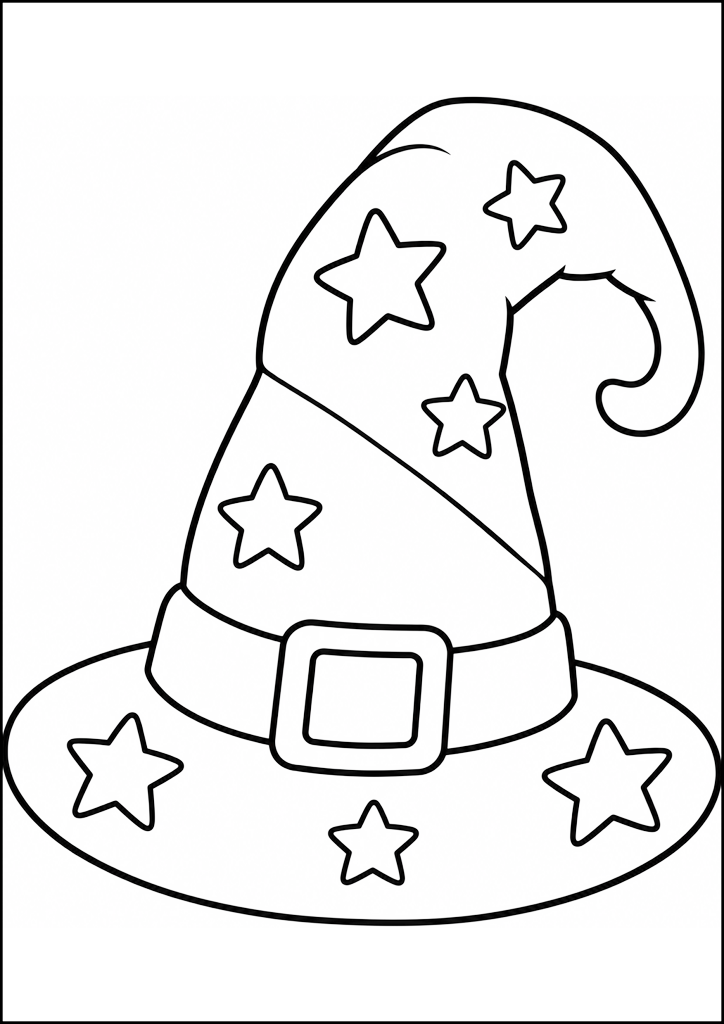
Wizard Hat With Stars — coloring page to print
Printable coloring page featuring a wizard hat decorated with stars and a buckle, perfect for kids to print and color.
- Difficulty
- Very easy
- Recommended age
- 3–4 years
- Category
- Fantasy
- See also in
- Halloween
- Subcategories
- Hats
- Downloads
- 1
More from this set: Hats
See all
More in category: Fantasy
See all


Similar topics


This page shows a tall, curled wizard hat covered in stars and a big buckle. The bold outlines make it perfect for young children practicing coloring. It’s a free printable coloring page for kids who love magic and imaginative play.
A little story
The little hat wished to sail among the stars, so a child colored it bright purple. When finished, it hummed softly and whispered bedtime stories about constellations.
What to prepare
How to color it step by step
- 1Start by coloring the wide brim one solid color.
- 2Fill the main cone of the hat with a second color.
- 3Color the band around the hat in a contrasting shade.
- 4Color each star brightly to make them pop.
- 5Fill the buckle with a metallic yellow or gold tone.
- 6Shade the curled tip slightly darker for depth.
Color suggestions
Coloring tips
What you'll discover
- Identify parts: brim, band, buckle, curled tip.
- Stars often symbolize magic and the night sky.
- Buckles are decorative in illustrated hats.
Vocabulary
Match the word to its meaning — tap a word, then its meaning
What your child will learn
- Improves fine motor control and pencil grip.
- Builds color recognition and planning skills.
- Encourages focus and creative decision-making.
Fun facts
- Pointed wizard hats appear in many folktales and illustrations.
- Stars are traditional symbols of magic and the night sky.
- Decorated hats help characters look magical in stories.
Learn & play
Answer ▸Answer ▾
5
Frequently asked questions
What age is this coloring page for?+
Suitable for preschoolers and up because of bold outlines.
Is this coloring page free to print?+
Yes, it is a free printable coloring page.
How do I print it clearly?+
Print on plain white paper at 100% scale for best results.
Can kids color it digitally?+
Yes, you can open the image in any drawing app to color digitally.
Which tools work best?+
Crayons and colored pencils are best for large areas and detail.